
YouTube Studio is great for seeing how your videos performed. Views, watch time, CTR — it’s all there.
But here’s what most creators don’t realize: YouTube Studio only shows you half the picture.
The metrics that separate growing channels from stagnant ones aren’t in your dashboard. They require context — specifically, knowing how you compare to other channels in your niche.
Here are 5 critical metrics YouTube Studio won’t show you.
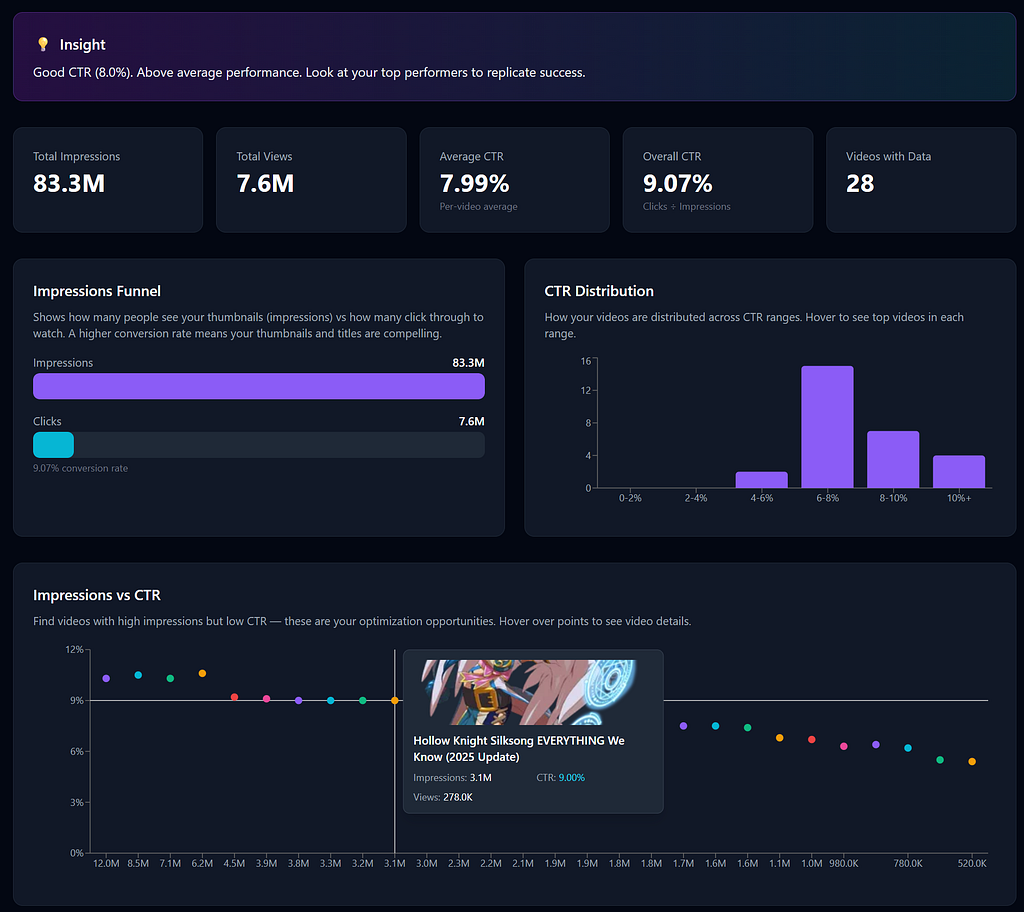
1. How Your CTR Compares to Your Niche
YouTube Studio tells you your click-through rate. Let’s say it’s 4.2%.
Is that good? Bad? Average?
You have no idea - because Studio doesn’t show you benchmarks.
Here’s the reality: CTR varies wildly by niche. Gaming channels often see 3–5%. Tutorial channels can hit 8–10%. Entertainment channels hover around 5–7%.
A 4.2% CTR might be crushing it in gaming or underperforming in tutorials. Without niche context, you’re flying blind.
What you actually need: Peer comparison data that shows how your CTR stacks up against similar channels.
2. Which Topics Are Working in Your Niche (Not Just Your Channel)
Studio shows you which of YOUR videos performed best. But that’s limited to topics you’ve already tried.
What about the topics you haven’t covered yet? What’s working for channels similar to yours?
The best content ideas often come from watching what’s gaining traction across your niche — not just analyzing your own backlog.
What you actually need: A way to track peer channels and see which of their recent videos are outperforming.
3. Your Actual Competitive Position
You know your subscriber count. But do you know:
- How fast you’re growing compared to similar channels?
- Whether your views-per-video ratio is above or below average?
- If your engagement rate is competitive?
YouTube Studio treats your channel like it exists in a vacuum. It doesn’t. You’re competing for the same viewers as thousands of other creators in your niche.
What you actually need: Side-by-side comparisons with channels at your level.
4. Thumbnail Performance Patterns
Studio shows which thumbnails got clicks. But it doesn’t tell you WHY.
Are faces performing better than text overlays in your niche? Do bright colors outperform dark ones? Is there a pattern to the thumbnails that succeed?
This requires analyzing thumbnails across multiple channels — something Studio can’t do.
What you actually need: AI-powered thumbnail analysis that identifies patterns across your niche.
5. SEO Gaps and Opportunities
YouTube Studio shows you which search terms drove traffic to your videos. But it doesn’t show you:
- Keywords you’re ranking for poorly
- High-opportunity keywords in your niche
- How your titles and descriptions compare to top-performing videos
SEO optimization requires external data: your ranking position, competitor keywords, search volume estimates.
What you actually need: An SEO scoring system that analyzes your content against niche benchmarks.
The Bottom Line
YouTube Studio is a starting point, not a complete solution. It answers “how did my videos do?” but not “how should I improve?”
Real channel growth requires context. Peer comparisons. Niche benchmarks. Competitive intelligence.
That’s exactly why we built Castmark Labs. We pull in the external data YouTube won’t show you — peer tracking, thumbnail analysis, SEO scoring, niche benchmarks, and put it all in one dashboard.
Stop guessing. Start comparing.